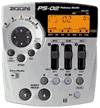
Maybe I'm doing something wrong, but I swear that even though I indicate that "123" should go to "23" on a bounce function, and I have things panned left and right, etc., those pan settings get lost and everything goes to the middle (which would be the same as bouncing "123" down to "3" or something, right?).
Is that the way you do it to retain your stereo pan settings? Am I doing something wrong? Has anyone else had this problem or issue?
Also, one more question: has anyone had any issues with bouncing down and a track ends up being louder than it was when you set it before mixdown? I swear I had this happen, too (had a Gary Numan-like "Cars" type early eighties synth riff over the top of guitar parts, supposed to be subtle, and thought it was before bouncing down, but when I completed bounce, it was way louder than I THOUGHT I set it only moments before.
I am at work so cannot verify this (also I am a new owner), but I think if you have stereo tracks i.e. 2 & 3, you need to pan 2 all the way to the left and 3 all the way to the right. If you don't they are both dead centre which is not really stereo.
Jarv.
Thanks, I'll test this.
February 13 2002, 10:49 AM
I'll give this a try.
John
Welcome Aboard Randy
February 13 2002, 12:10 PM
I can see you've been very busy since getting your PS-02 by your posts.
This is a great place to come with these questions ... there are lots of very creative people here ... I'm probably not one of them but I still enjoy the forum and my PS-02.
Jarv
Full pan for playback only
February 13 2002, 1:56 PM
Randy,
Didn't say, but I expect you realised, that the panning track 2 full left and track 3 full right is for the playback after you have bounced only. My guess is that you're panning on the actual bounce itself worked.
If you need any further explantion let me know.
Jarv.
Re: Stereo mixdown?
February 13 2002, 5:02 PM
I hope I'm understanding you, Jarv. You're saying that when I'm getting ready to bounce down tracks 123 to 23, and I have panning set up on those tracks, that AFTER bounce-down, I still have to set up tracks 2 and 3 to hard left and hard right panning to hear my earlier panning setup? I guess I would assume that my previous panning settings would just already be there in the new mix. Is that assumption wrong? Looking forward to testing this.
Jarv
Bouncing
February 13 2002, 6:59 PM
Randy,
I'm not sure if I'm going to explain this very well but here goes.
Assume we had 5 tracks and you are going to bounce tracks 1 (Rhythm Guitar),2 (Lead Guitar) and 3 (Keyboard) to tracks 4 and 5.
If you pan track 1 all the way left, it is going to send signal to track 4 only and nothing to track 5. If you place it dead centre it will send equal signal to tracks 4 and 5. And if you pan it all the way right it sends signal to 5 only. Between centre and left will send more signal to 4 than 5, but still to both.
So lets assume you've panned:
- 1 (Rhythm guitar) all the way left (10l on the Zoom)
- 2 (Lead Guitar) slightly to the right ( 3r on the Zoom)
- 3 (keyboard) all the way right (10r on the Zoom).
If you listened to track 4 on its own after the bounce you would hear Rhythm Guitar and Lead Guitar only as Keyboard was panned to track 5 only.
If you listened to track 5 on its own you would hear Lead Guitar and Keyboard only as the Rhythm Guitar was panned to track 4 only.
You now have two mono tracks (4 and 5 or Left and Right). If you now set these to be both panned dead centre you now are sending your Rhythm Guitar on track 4 to left and right channels as well as the Keyboard on 5 to left and right. Hence you've lost the stereo effect. So to retain this effect you must pan the new tracks hard left and hard right.
This is more confusing on the Zoom because the resulting tracks are 2 and 3 which we have panned to 3r and 10r respectively. This means that pretty much everything is going to the right channel if you press play immediately after bouncing, unless you readjust the panning of 2 hard left.
I hope that makes sense, my head is hurting now…….
Jarv.
Bounce and Panning
February 15 2002, 9:56 PM
If memory serves me correctly, while in "audio" mode, press the > (play) button. While playing the tracks, slider one controls the gain of R-1 and you can press the "edit" button, then slider one becomes the pan control. While moving it, the display will go from 10R (full right), through C (center), to 10L (full left). When panned to your liking, press exit/cancel, go to slider 2 , etc. I've used it and it does work on my PS-02. I just followed the manual.