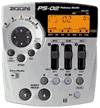
Having a hard time figuring out how to use my condensor mic (MXL) and mixer (Behringer MX620A) with my PS-02's line in. I get great results going through the Aux In, but not the Line In. I'm guessing the signal is way too hot for the Line In. Tried adhjusting MIC GAIN and GUITAR GAIN on the PS-02, but no change.
I'd use the Aux In, but I have not figured out if you can use vocal or any patches on the Aux In.
Anybody know if my signal (based on this ltttle info) is too hot? And if it is, can it be effictively reduced by something like a Rolls Matchbox? Has anyone tried to get a phantom powered mic into their PS-02?
Thanks for your help
I'm having a similar problem (see my "Microphone blues" post). The signal from my Shure SM57 appears to be too hot. I called it 'boomy' in my previous post, but it really breaks up. It's overdriven. I tried what you described with mike gain, as well as the 'clean patch' described by Zeotrope, to no avail. The Shure is dynamic and doesn't use phantom power, but it's an XLR-type cable, which I assume you have too. My cheapo Audio-Technica dynamic works fine. If I find a solution, I'll let you know, but no luck yet. Someone else posted that they were going to try their SM57 (Paul Ruby?), but haven't heard anything yet. I pretty sure our problems are related.
Anyone else?
record
condensor
December 11 2001, 3:07 AM
I'm using a Tascam condensor mic for vocals. It works well - though i'm not experimenting with high levels. For guitar signals perhaps it's best just to use amp simulators and not live, hot signals. BTW, if you are coming in with an effected signal, you should record with "bypass" engaged.
still strugglin'
December 11 2001, 11:02 AM
Thanks for the comments.
Hotdam,
I read your mic blues post as well. I have a Shure knock off mic with similar problems, but I have been able to make it work. Made an mp3 w/it as well (not so good musically, but the audio is technically acceptable). Recorded straight from my Martin acoustic guitar, (no amp) and it sounds OK. This was one of the reasons I bought a phantom powered condensor mic and a mixer. For recording purposes, condensors are usually regarded as superior to dynamic mics.
I think my problem is that the line level coming out of the mixer is too hot for the guitar/mic input on a PS-02. The sound I'm getting is not boomy, it is totally distorted overdriven mush.
Next thought is I need something to cut the signal.
Record,
I'm curious how your Tascam mic is connected to your PS-02? Does it require phantom power(48v)?
The signal I'm using does not have any effects coming out of the mixer. I am trying to use the vocal effects of the PS-02 though.
Using the amps sims is not an option for me. My acoustic guitar does have a pickup, but it's a piezo and they generally sound like crap for recording.
Other patch ideas
December 11 2001, 2:15 PM
Ok, here's the original clean patch I suggested in the other thread:
Create a user patch with the following settings: Drive:MicPre,
Limit:10,
Color:2,
Level:8,
EQ:High(-1)Mid(0)Low(0);
EQlvl:1;
P-Lvl:30
Did you try variations? I have Level set to 8. Turn it down to 1. Set P-Lvl to 1. Is it still distorting? If so I'm mystified. More likely, everything is now too quiet. Somewhere between too quiet and distortion lies that perfect level you seek.
Keep at it and post your results.
Also, if you have phantom power I assume you are going through a preamp of some sort. Set the levels low on the preamp too. Or set them normal for a line level and don't use a mic-pre patch, use a guitar patch. You don't need the Zoom to preamp the mic signal if its already at line level.
thanx, will try ASAP
December 11 2001, 2:32 PM
Zoetrope,
Thanks for the suggestions, will give 'em a shot later tonight and post results.
record
mic
December 12 2001, 3:57 AM
My condensor mic is battery powered. I just plug it straight in using a transformer adapter(xlr to phono)(i run direct for a sampler too). As zeo stated, if you are coming from a mixer than you are coming with a line-level and do not need a pre-amp.
If you examine the manual you will see that the mic-pre is designed for a direct plugged microphone to be use for vocals or acoustic guitar. There is no mention of micing an amp, etc. Anything other than those two uses you should go through a mixer and then become a line-level which you should record with "bypass" engaged. Instead of making a 0 patch just push "bypass" and you are recording direct bypassing all modules. Or, create a patch with just the effects you want but no pre-amp, just a regular patch.
thanks, will keep trying
December 12 2001, 6:47 PM
i had some success after tweaking the drive last night. mic-pre setting is way to much. will experiment more tonight.
got your comments on bypassing and tried it on various parts(EQ and other sections).
Another Question:
can i bypass the drive setting as well, or do i need to have some type selected?
Thanks Again!
record
hmm
December 12 2001, 9:25 PM
Perhaps no one is interested in my suggestions... whatever. But if you push the "bypass" button when you are about to record you will bypass ALL the effect modules. This is useful if you would like to say, use a POD or other device, etc., as a pre-amp. Why anyone wants to waste time erasing modules from patches to create a blank patch is beyond me.
oh no, i'm listening...
December 12 2001, 10:15 PM
guess I should have explained this a little better.
i'm going for two different recording scenarios.
- clean sound for my martin acoustic (no amp)
- digital effects for vocals (like vocal echo on ps-02)
bypassing everything works for the guitar, but then again i can just go through the aux input.
for vocal stuff, i want to use the vocal effects with the condensor mic. i guess i'll use the juicy parts of that patch, sans the mic-pre.
based on everyone's input, i feel like i've got enough info to get find the right settings.
thanks again
******* THE END *******
The clear patch
December 13 2001, 4:03 PM
"Why anyone wants to waste time erasing modules from patches to create a blank patch is beyond me"
The reason you create a blank patch is to have the micpre patch and use the internal mic without adding any other effects. If using an external mic with its own preamp then you don't need a patch at all.