|
Need a little help, plz
September 18 2001 at 10:32 PM | bayoucount4
|
| Hi all,
I was wondering, is there a way to mute an audio track? For instance, say you have recorded on all 3 Zoom tracks and you want to record each track individually on to a computer, is that possible? I can't seem to figure out a way. Hmmm.... any help would be appreciated. Thanks in advance.
|
|
| Author | Reply |
Shamus
| | Audio menu selection | September 19 2001, 12:42 AM |
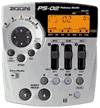
Use the left/right cursor to light up the Audio menu. You don't have to edit anything. The sliders then control the volume for each track.
When the Rhythm menu is selected the sliders become a master vol for your recorded input, and separate vols for drum and bass.
You can flick through all the settings during playback.
|
|
Shamus
| | <bugger> forgot to add .... | September 19 2001, 12:52 AM |
I'm assuming by the fact you want to record each track individually that you are going to do some editing on a PC or MAC. If that is the case you will get better quality by converting the individual audio tracks to wavs using Card Manager.
|
|
bayoucount4
| | Untitled | September 22 2001, 1:58 AM |
Ah, thats right. I forgot about master volume control. Thanks Shamus!
|
|
bayoucount4
| | Untitled | September 22 2001, 2:07 AM |
Hey, I just tried that. Now, I'm having a hard time getting all the individual tracks back on the same time signature--it is really hard to line them up. I tried to use Cakewalk to line them up, but they are still alittle off and, therefore, distorted. Any ideas? Thanks.
|
|
huggy bear
| | use a countdown in playback | September 25 2001, 5:16 PM |
In utilities menu set it to countdown before playback (just like it does before recording). Ride the gain on the drum track and record the countdown each time you record an individual track. The countdown will be easy to line up from track to track.
|
|
|
Advertisement:
 Rent DVDs online -- Free Trial for 2 weeks!
|
|